Back to Projects
Academic Work Project

UiPath Automation: RPA Excel & Data Table Processing Workflows

Overview

UiPath Automation is a Robotic Process Automation (RPA) case study built using UiPath Studio Studio to streamline complex Excel workbook data consolidation and HR report processing. As the RPA Developer, I designed automated sequences using Workbook and Data Table activities to clean duplicate entries, merge multi-source datasets, perform automated VLookups, dynamic column insertions, and automated salary calculation logic without requiring Microsoft Excel installation.

My Role

RPA Developer

Tools Used

Tool 6
UiPath Automation Preview
Slide 1 of 5
AUTOMATION LOGIC

Automation Workflows

01

Multi-Source Data Consolidation

Automated sequence merging employee data from multiple App reports into a unified master report.

02

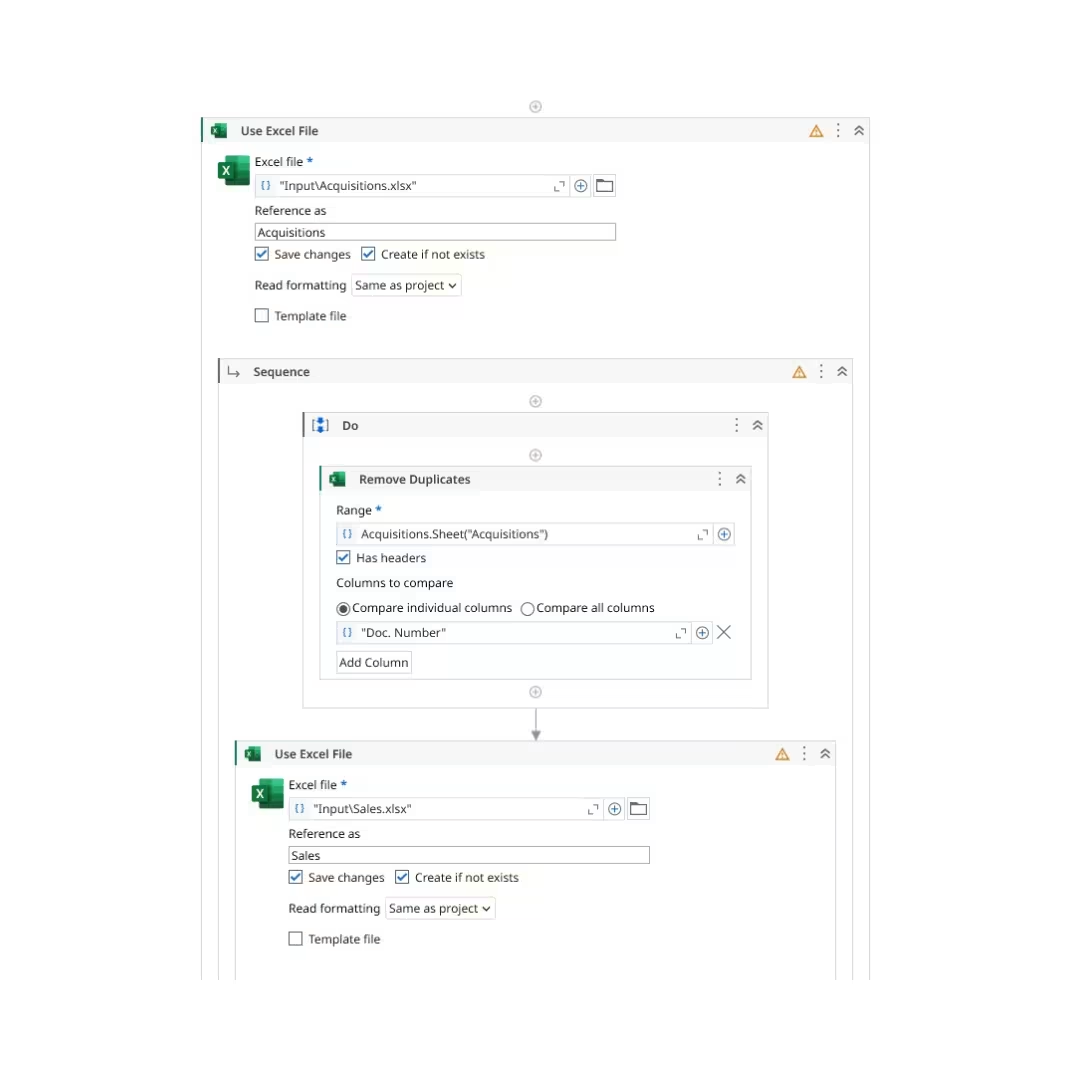
Data Table Cleaning & Deduplication

Built-in Remove Duplicates activity comparing specific key columns to maintain data integrity.

03

Dynamic VLookup & Column Insertion

Automated VLookup queries linking cross-sheet attributes and inserting calculated metric headers.

04

Automated Calculation Engine

Write Cell loops applying exact salary adjustments and profit per sale mathematical logic.

RESULTS & VALUE

Project Impact

  • Eliminates repetitive manual data entry tasks across HR and financial Excel reporting procedures.
  • Ensures 100% data accuracy by removing duplicate records and automating cross-sheet VLookup matches.
  • Reduces report processing times from hours to seconds through background execution without opening Excel.
  • Standardizes output report formatting for HR managers and executive decision makers.
  • Lowers operational overhead by deploying lightweight Workbook activities that operate independently of Excel licenses.
  • Demonstrates end to end RPA design architecture using UiPath Studio Studio sequences and logic loops.